¶ Preparatory steps
- Log in to personal account.
- Go to the section Bot Scripts.
- Open an existing script in the editor. If you do not have a script, create a new one.
- Prepare an NLU agent:
4.1. Create an NLU agent.
4.2. Configure intentions.
4.3. Download the ready-made list of phrases for intent Answering machine. Save the file in .txt format.
4.4. Import a file with a list of phrases into your NLU agent.
¶ Script Management
-
Add a welcome message:
1.1. Install the Information block in the script.
1.2. Enter a greeting for the user in the Message text field, for example: "Hello! How can I help you?" -
Create a block for recognizing the response:
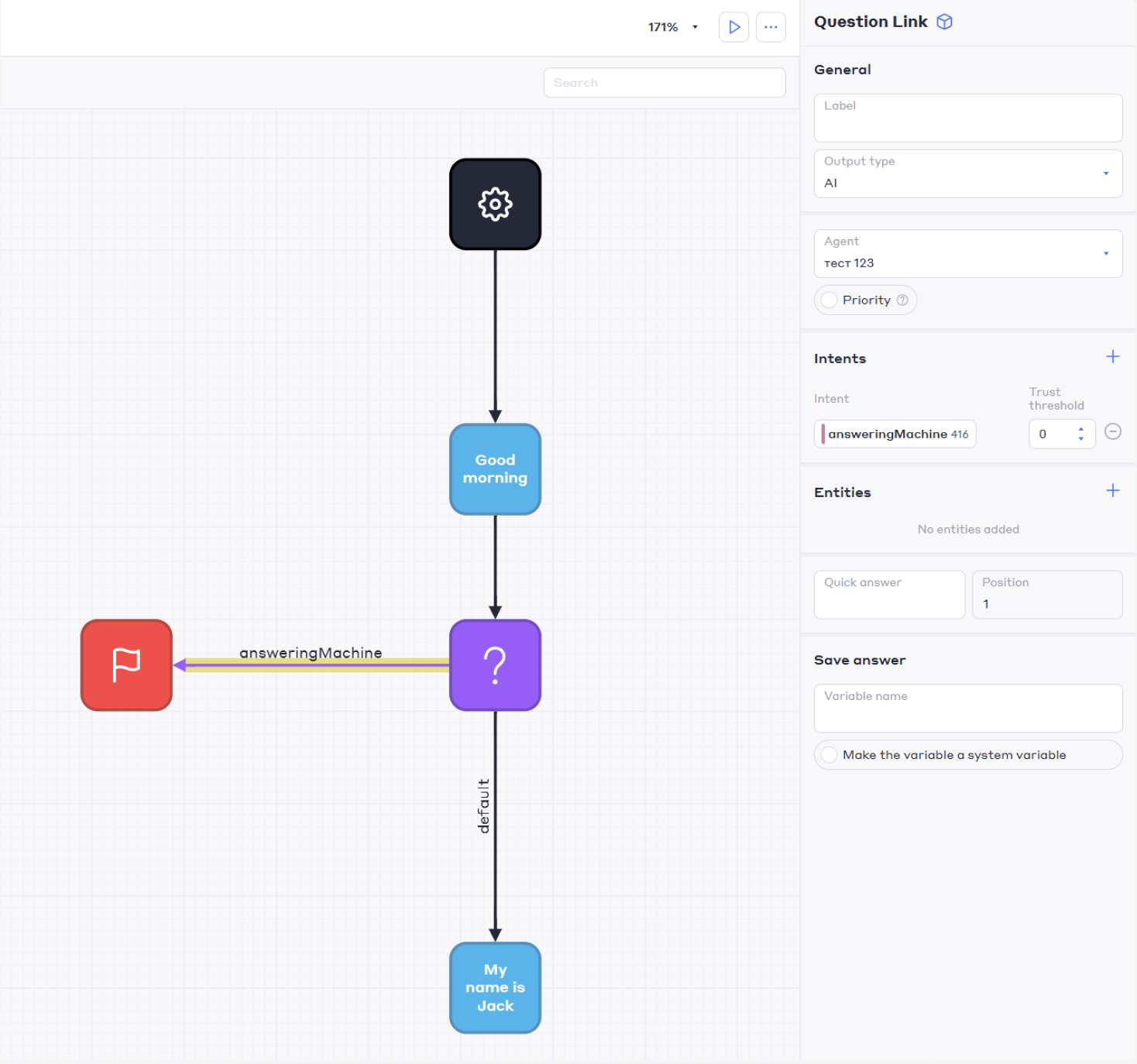
2.1. Add a block Question in the script and connect it with an arrow to the block Question.
2.2. Install the unit The result is and connect it with an arrow to the block Question.
2.3. Specify the arrows in the parameters:- Output data type: NLU.
- Agent: A previously created NLU agent with intent Answering machine.
- Intention: Answering machine.
-
Set up a response for a real person:
3.1. Add a block Information with text, for example: "Thank you for your reply! Let's move on to further actions.".
3.2. Swipe the arrow from the block into this block Question with the type of output data By default. This action will be performed if the bot recognizes a real person. -
Record the result:
4.1. Click on the block Result and set the result commit:- In the NPS field, if you need to collect data on user satisfaction.
- In the field Confirmation, if it is necessary to save information that the call was received by the answering machine.
Example of a script branch: