¶ Preparatory steps
- Log in to personal account.
- Go to the section Bot Scripts.
- Open an existing script in the editor. If the script has not been created yet, create a new one.
¶ Fixing variables in the report
- Define the variables. Let's assume that data with two variables is loaded in the call file:
{name}and{order}. If the values of the variables do not change during the dialogue, you can fix them at the very beginning of the script. If the variables can change, fix them as the dialog runs. - Add a block The result is in the script.
- Specify the type of action Arbitrary result.
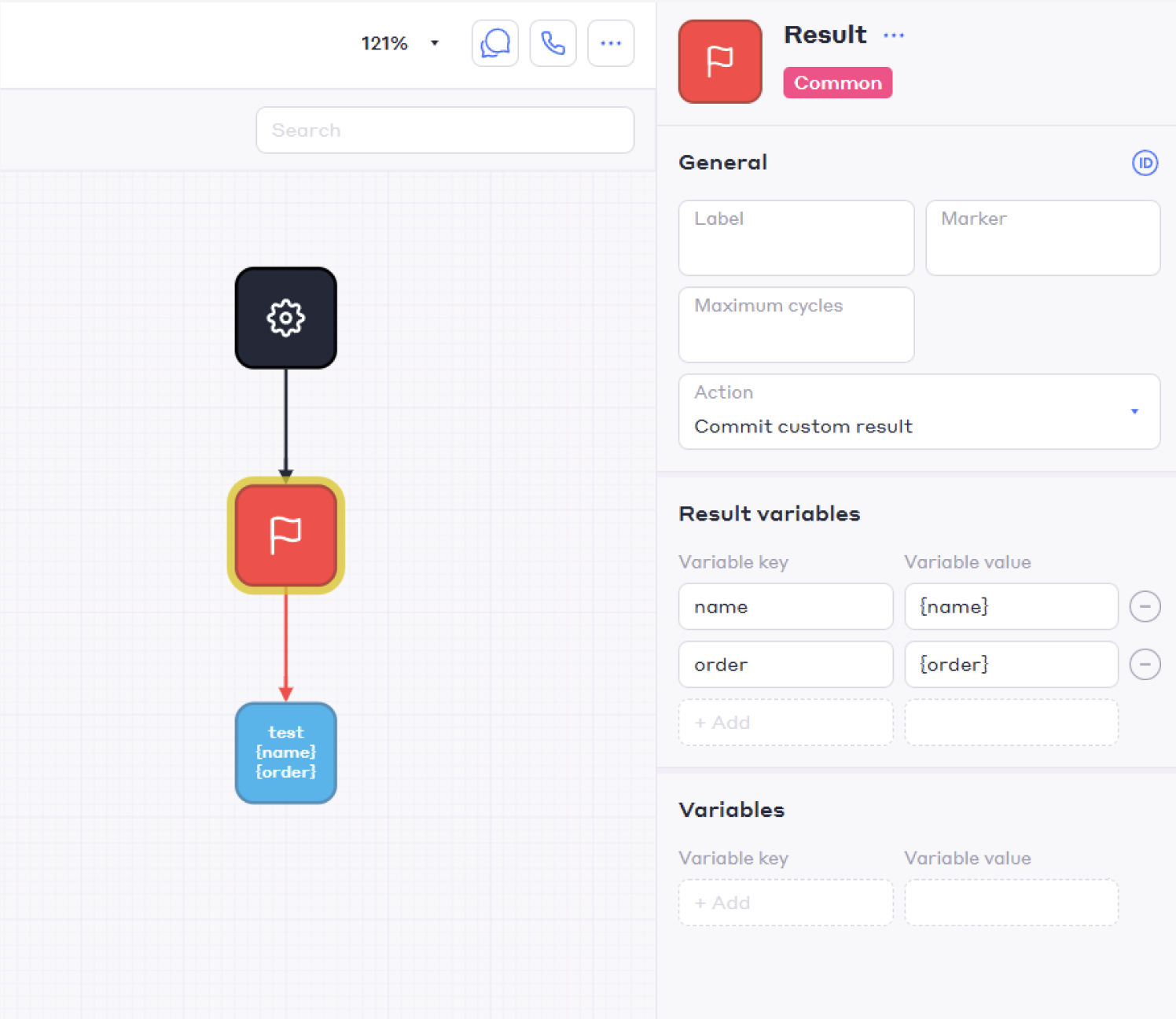
- Specify the variables to be fixed in the block Result variables:
4.1. Enter the name of the field of an arbitrary result (key) — this will be the name of the column with the result in the report. It does not have to match the variable name. For example, the variable{number}can be fixed in the field Number.
Example of setting up a block in the editor:
¶ Exporting a report with arbitrary results
- Go to the Voice Bots section.
- Open the details of the completed call task.
- Click on
 and click A report with arbitrary results. The report generation window opens.
 - Specify the variables in the Name field to include in the report.
- Press the button Done.
After that, a report will be generated, where all arbitrary results will be displayed in separate columns starting with the word results. For example, for the variables {name} and {order}, the columns will be named results-Name and results-Order.
To generate the report correctly, follow the following rules:
- The length of the variable name should not exceed 55 bytes (Unicode UTF-8).
- Use unique field names for each variable to avoid duplicate columns in the report.
- Avoid special characters and spaces in variable names so that the report is generated correctly.