The Empty block is designed for convenient structuring of the script. It allows you to create a more organized structure of blocks and direct multiple arrows into one block. The block does not trigger system reactions and serves as a mere organizational element in the visual representation of the script, similar to the function of an arrow.
For example, if you need to develop a script for surveying customers and recording their responses, difficulties may arise in reusing the same blocks and arrows. To address this issue, leave the Question block empty, and place the actual question in the Information block. The robot listens to the customer's response using the Question block and determines which branch to follow. To have the ability to return to the temporarily deviated block, use the Empty block.
This construction allows for efficient management of return options to a specific block, avoiding the need to create new Question blocks and repeat the script description.
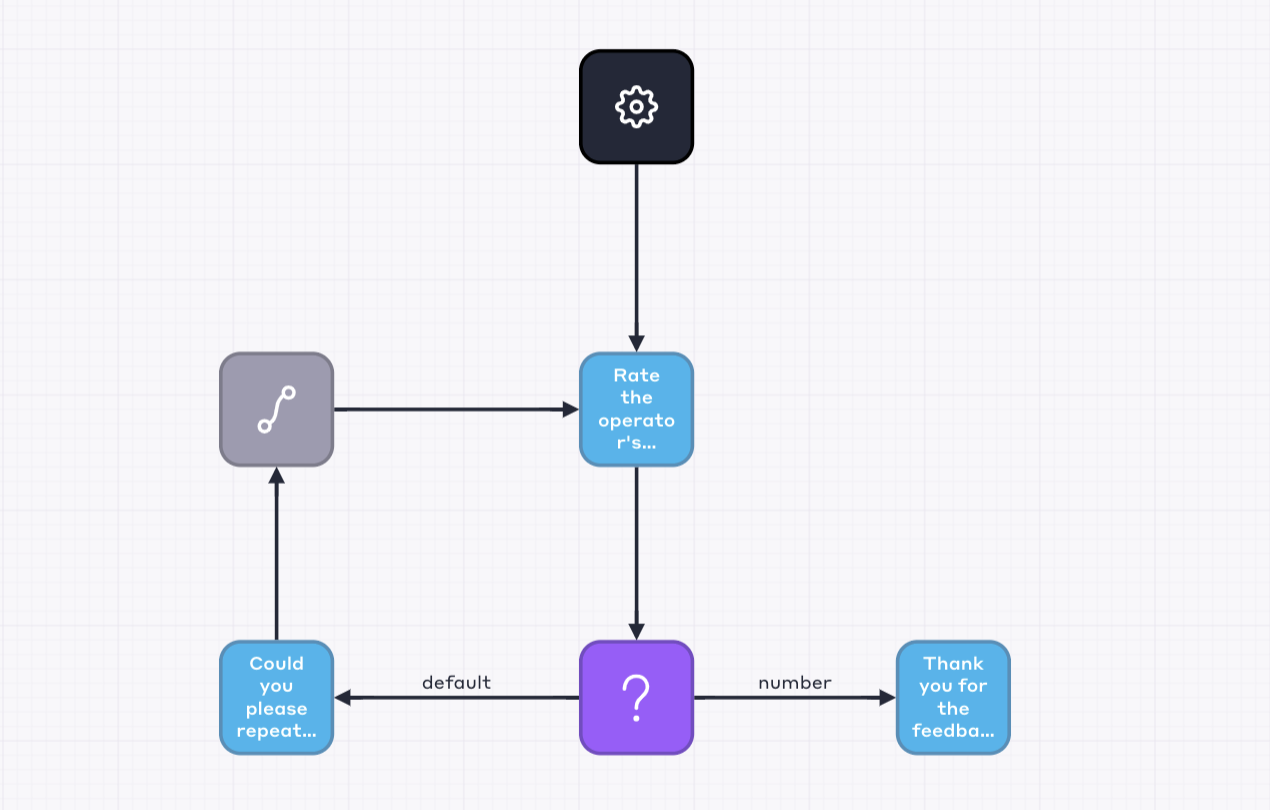
You can only draw an arrow from an empty block to a single block.
| Property | Description |
| Label | The block's name displayed in the script editor but not used in the customer dialogue. It serves the convenience of the user creating the script. |
| Marker | Arbitrary text representing the block, may be used in analytics reports as a marker for block traversal – it helps track which blocks the robot has passed through. |
| Number of Cycles | The maximum number of times the robot can go through a cycle. A cycle is considered the user's repeated entry into a specific block. The maximum number of cycles is 100. |